Improve focus
Remove visual noise from a second screen so you can concentrate on the task in front of you.
obscurascreen.com · Free for Windows
Obscura Screen Dimmer blacks out any display in your multi-monitor setup while you keep working, watching, or presenting on the rest. Toggle anytime with a hotkey.
Keep focus on one screen while the other goes dark.
Remove visual noise from a second screen so you can concentrate on the task in front of you.
Working with sensitive content on one monitor? Black out the other so nothing leaks to a shared desk or meeting room.
Watching a movie or stream on one screen? Dim the spare monitor to cut glare and give your eyes a break.
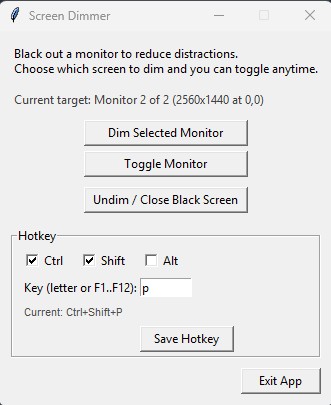
Pick which monitor to target, dim it with one click, and set a global hotkey like Ctrl+Shift+P to toggle anytime.
Click the download button above to get the ZIP file.
Right-click the downloaded ZIP and choose Extract All, or use your preferred archive tool.
The included README has any extra notes you need before running the app.
ScreenDimmer.exe
Double-click the executable to launch Obscura Screen Dimmer. No installer required.